
Write & organize scripts
Create scripts in seconds, keep them in one tidy library, and open any of them the moment you're ready to record.
Write your script, set your pace, and read smoothly right on camera. Teleprompter keeps your eyes forward and your delivery calm.


Available for iPhone and Android · No account needed to start writing.
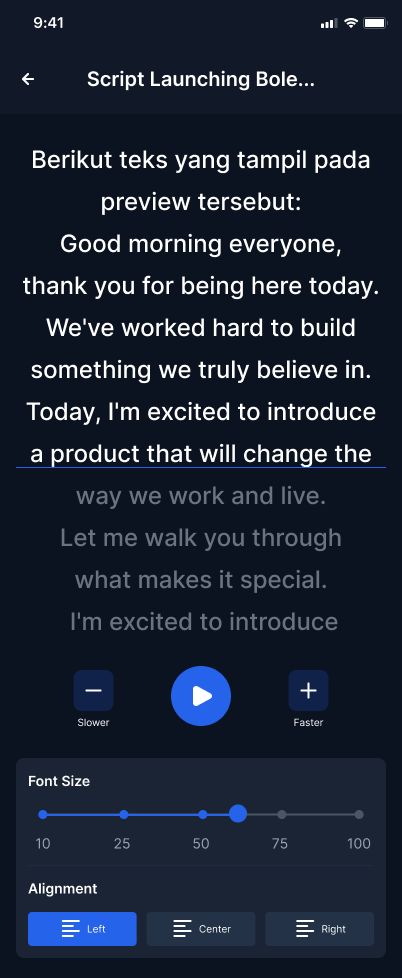
A focused set of tools for writing, pacing, and reading your scripts without the clutter.
Create scripts in seconds, keep them in one tidy library, and open any of them the moment you're ready to record.
Dial in the scroll speed that matches how you actually talk. Adjust on the fly so the words meet you exactly where you are.
See exactly how each line will scroll, so there are no surprises when the camera starts rolling.
Search your whole library by title or content and jump straight to the script you need in a single tap.
Large, high-contrast type on a calm dark canvas keeps your lines easy to read from arm's length.
A clean, minimal reading view puts nothing between you and your words — just your script, scrolling.
From a blank page to a smooth read — here's how Teleprompter looks in your hand.
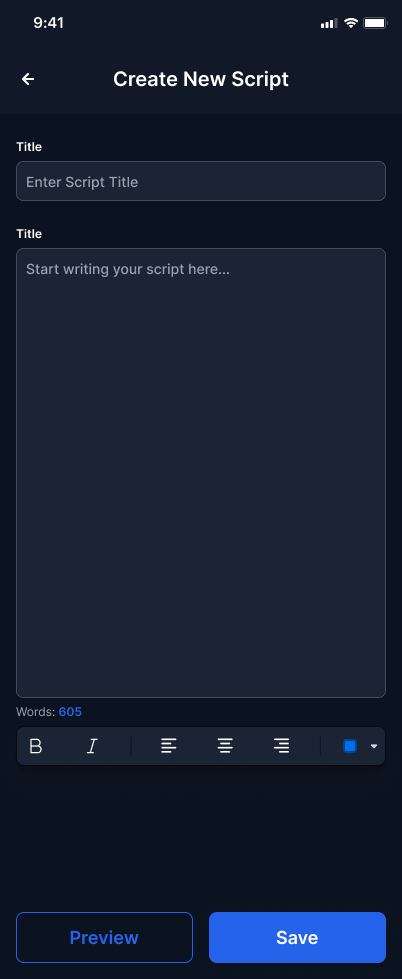
Start a new script and start typing.
Check the flow before recording.
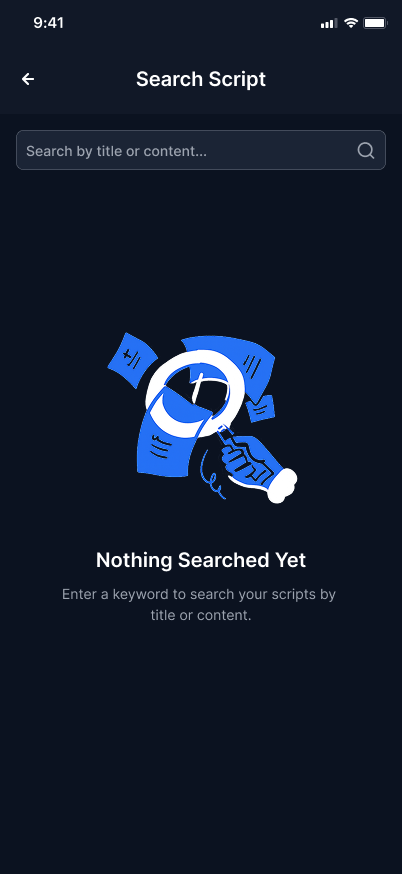
Find any script in a tap.
No setup, no learning curve. Open the app and go.
Type or paste your words into a new script. It saves automatically to your library.
Choose a scroll speed and text size that fit your natural speaking rhythm.
Hit play, keep your eyes forward, and deliver every line with confidence.
The essentials before you download.
Yes — you can download Teleprompter and start writing and reading scripts for free. Any optional premium features are clearly marked in the app.
Teleprompter is available for both iPhone and Android. It's optimized for reading in portrait on your phone.
No account is required to write and read scripts. Everything you create is stored on your device.
Absolutely. You control the scroll speed and text size, and you can fine-tune the pace at any time so it matches how you actually speak.
Your scripts are kept on your device. See our Privacy Policy for full details on how your data is handled.
Download Teleprompter and read your script like you wrote it in the moment.